CommandPost v3
The Swiss Army Knife for Post Production Professionals
CommandPost v3 is a insanely powerful macOS application that makes your post production and editing life faster and lots more fun (everything is better with more buttons!). 🎛️
This isn't some new vibe-coded... thing. It's grown over the last decade, based on feedback from industry professionals.
It's been used for projects at Netflix, Pixar and the BBC. People at companies such as Apple, Avid and Adobe use it daily.
All of the 2024-2026 Apple Worldwide Developer Conference (WWDC) videos were graded using Tangent panels in Final Cut Pro controlled by CommandPost v2. 🥳
CommandPost v3 has been written in Swift and SwiftUI, and optimised for modern Apple Silicon Mac's.
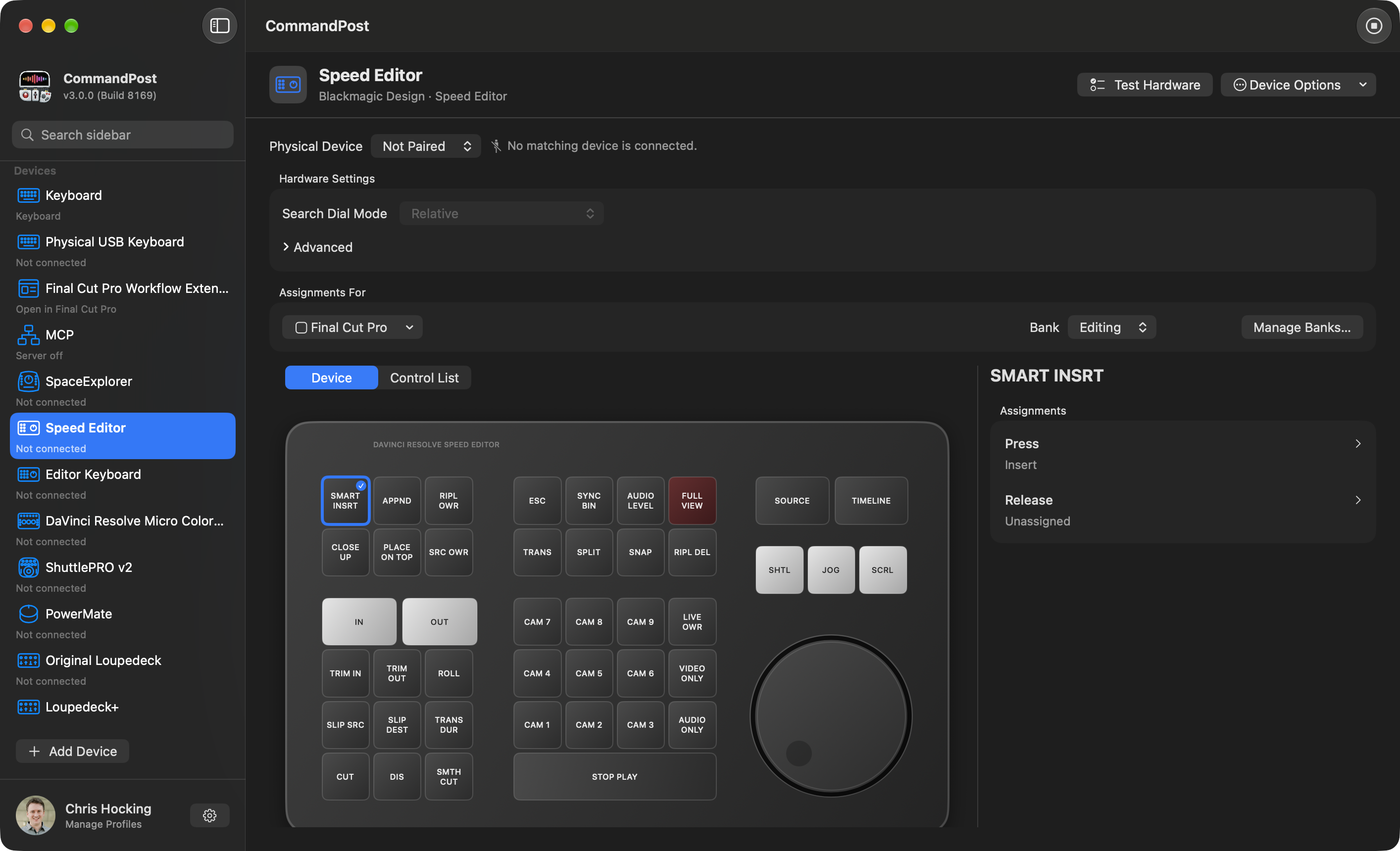
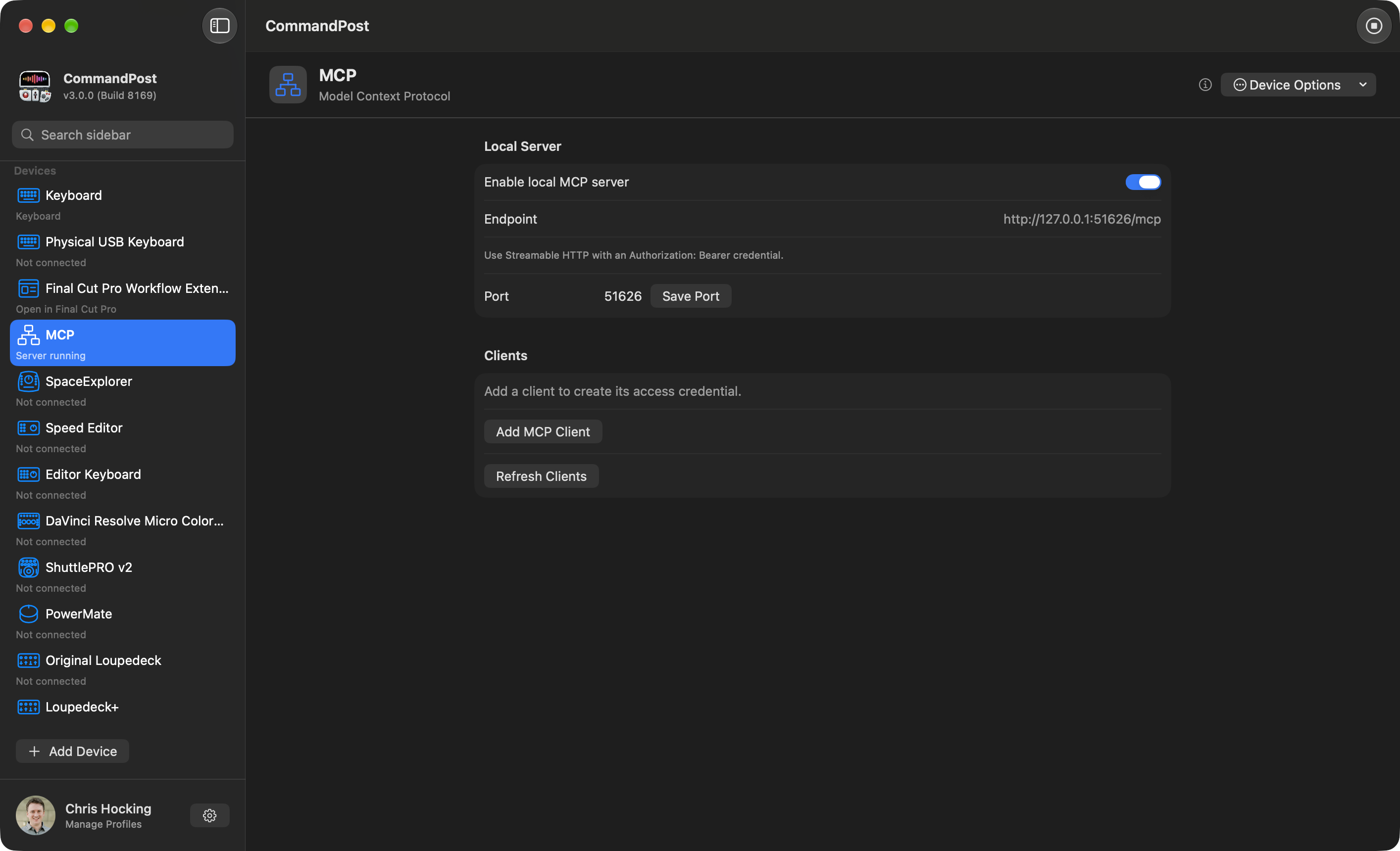
It adds tens of thousands of actions for Apple’s Final Cut Pro to make it even better and more enjoyable to edit with.
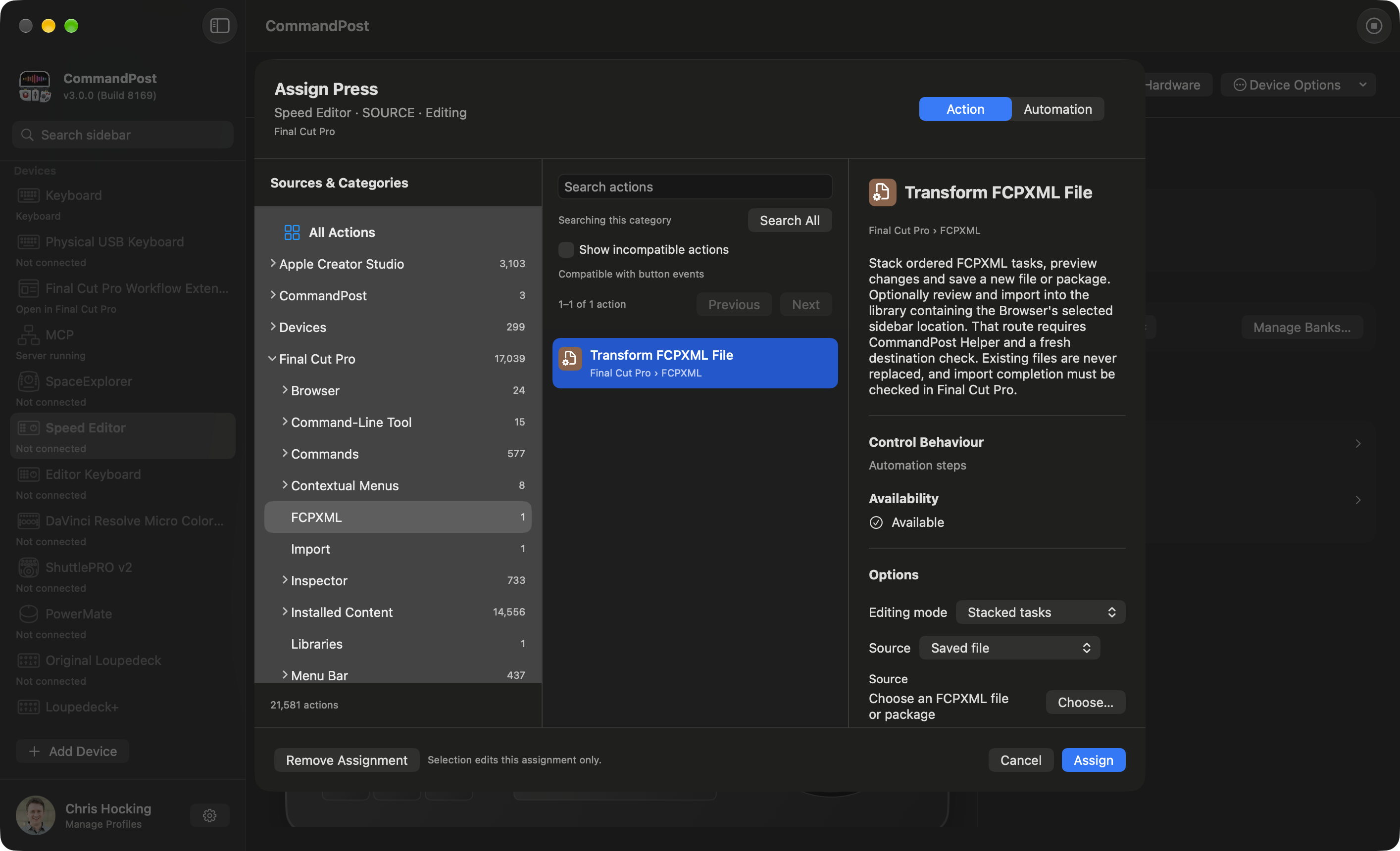
It has extensive control surface support - allowing you to control your Mac anyway you want.
It has MCP support - so LLM's can drive every aspect of CommandPost.
Used by Professionals
Rather than produce our own video tutorials - CommandPost is so popular that the community does it for us!
Watch this awesome introduction video by Arthur Moore on YouTube on 14th September 2019:

Built for Professionals
We developed new CommandPost v2 features especially for Apollo: Missions to the Moon, edited by David Tillman.
We've also built custom tools for Denmark’s second largest production company, Metronome Productions.
“ Titles to Keywords is a huge timesaver when editing complex scenes. Couldn’t live without it anymore. And directors love that every delivery of any line from any take is just one click away! ”
Knut Hake - Editor on Netflix's Blood Red Sky
Blood & Gold was cut on Final Cut Pro and made extensive use of CommandPost v2's Titles to Keywords Toolbox.

Deeply integrated into Apple Creator Studio
CommandPost v3 is designed to work deeply with every app in Apple's Creator Studio.
It has built-in actions for Final Cut Pro v13's new fcptool.
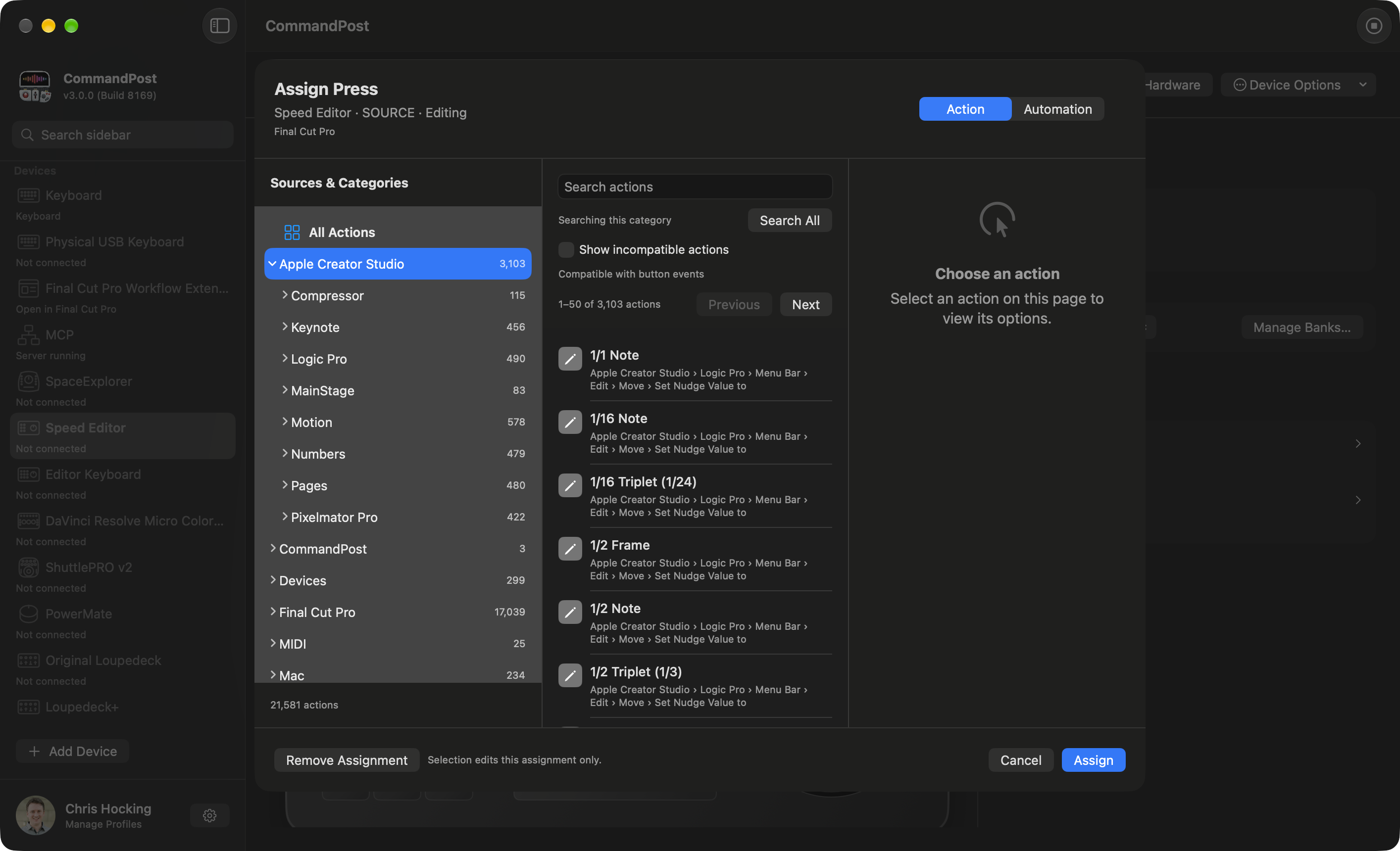
It has deep support of Final Cut Pro, and includes a powerful Workflow Extension.
Designed with LLMs in mind
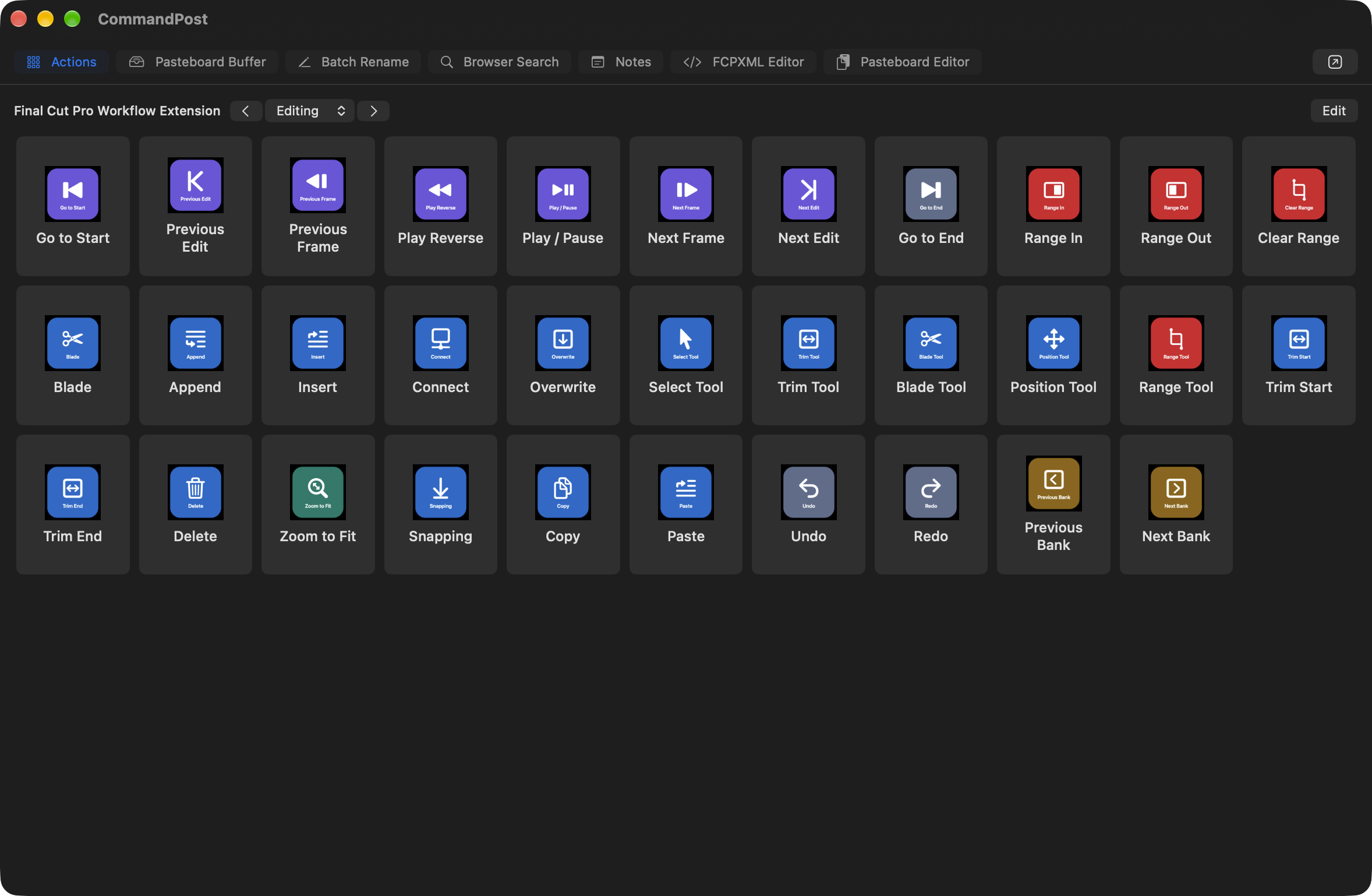
CommandPost v3 has deep LLM support - with built-in support for the Model Context Protocol (MCP).
Anything CommandPost can do... can be triggered by Claude, Codex, Copilot, Siri, or your local LLM.
Where Technology Meets Creativity
“ CommandPost and FCP are so intertwined on my day to day that I see them as one app! ”
Marcos Castiel BFE - Editor on Netflix's Turn of the Tide
CommandPost has been built by filmmakers, for filmmakers.
However, it's also used by developers, scientists and macOS power users all over the world to seriously speed up mundane tasks through powerful and customisable automation tools.
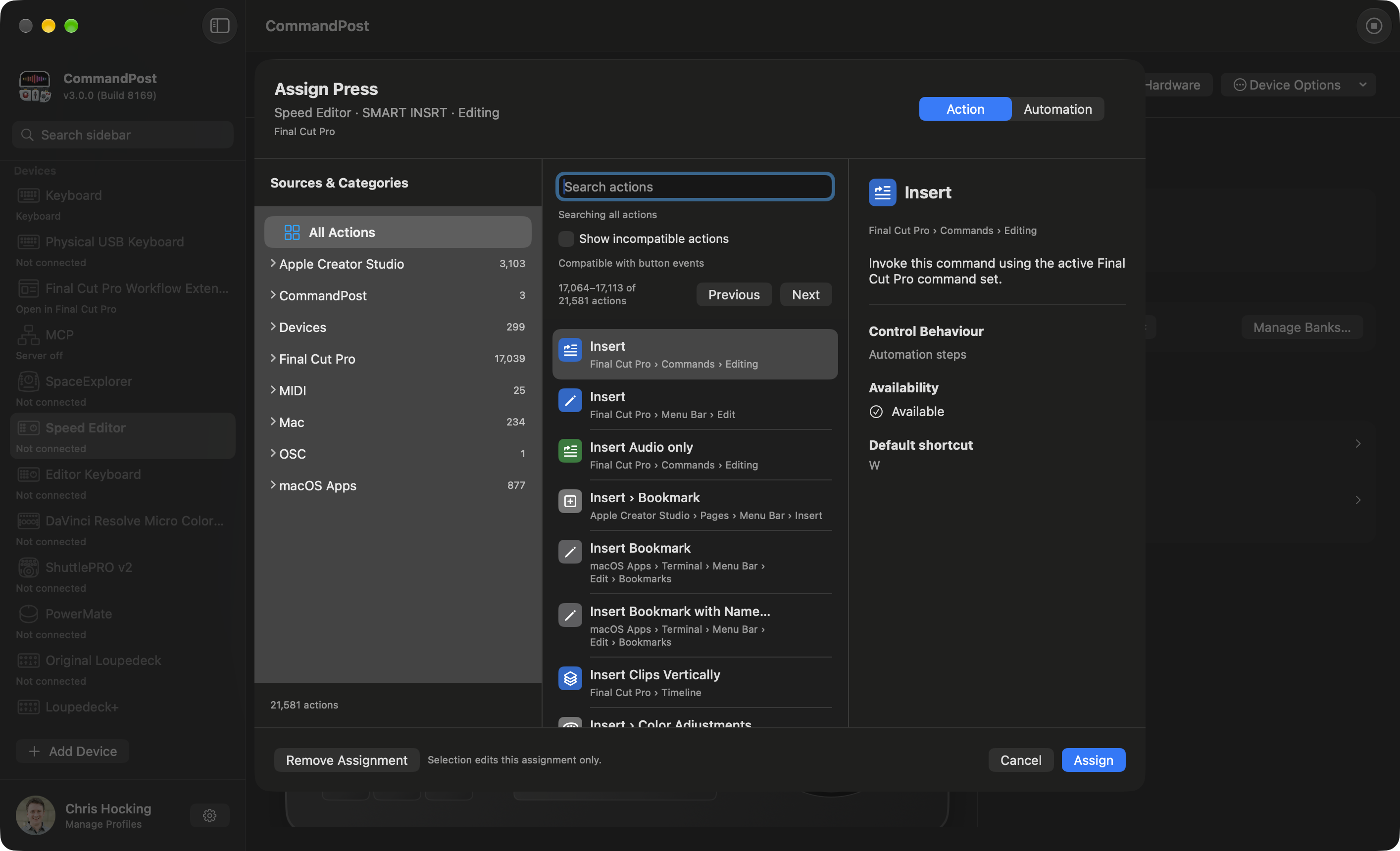
Experience Unparalleled Control
“ Command Post started as a FCPX utility but it goes further than that. You can use it to map almost any function to supported hardware devices to work with any app like a BMD Speed Editor and Avid Media Composer! ”
Marc Bach - Editor & Colourist
CommandPost has deep support for a wide range of control surfaces.
It even brings back Razer keypad support to the Mac!
“ Chris's support is the best you will find anywhere on the planet. He was proactive and able to implement features for me on the spot. 5 STAR product 5 STAR support. ControllerMate is what I used to use. CommandPost is faster and easier. ”
Ross Batten - Senior Sound Designer (ProTools)
You can basically control ANYTHING in Final Cut Pro with a huge range of control surfaces.
Tangent, Monogram and Loupedeck all officially rely on CommandPost v2 for Final Cut Pro support.
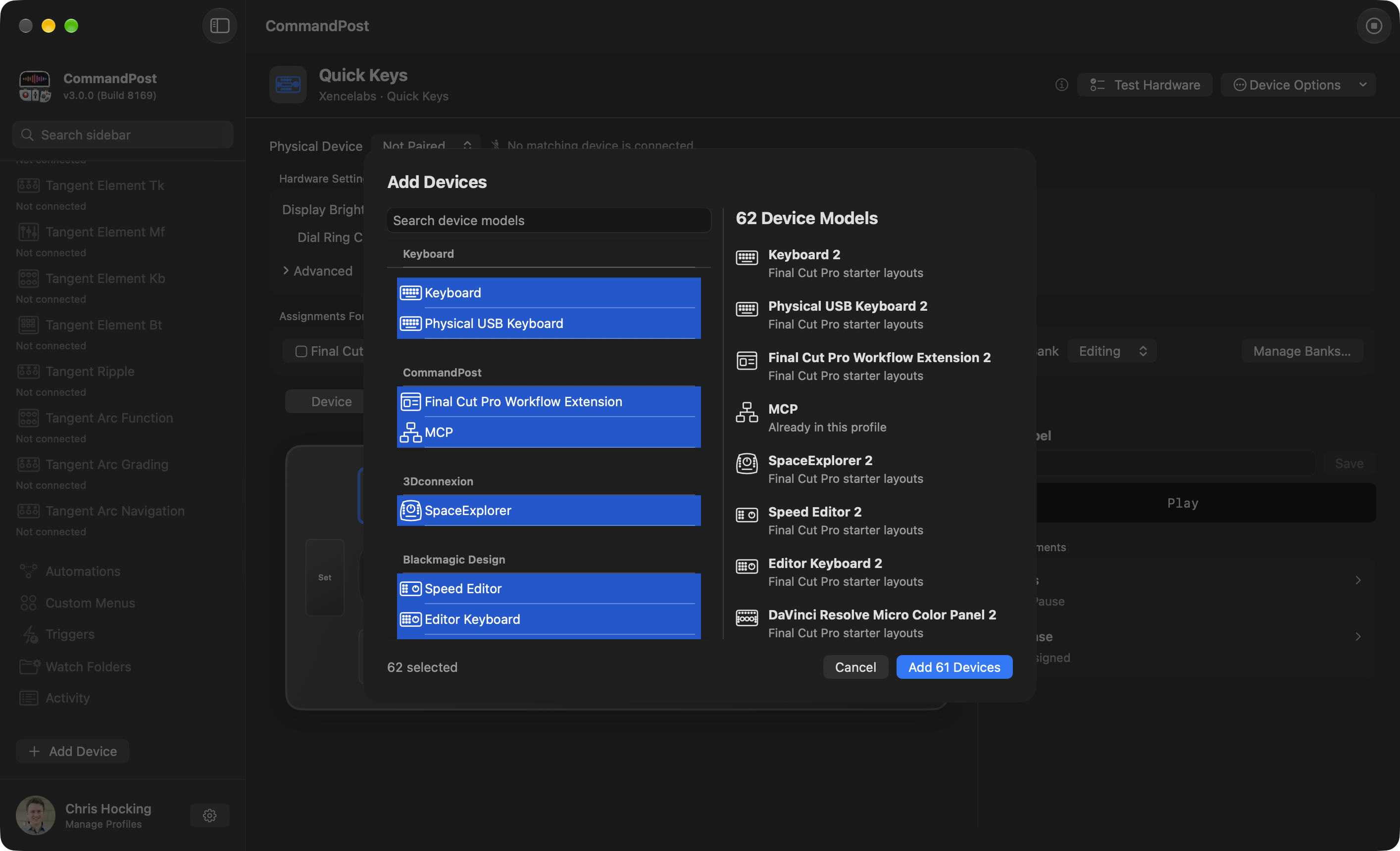
Powerful Search Console Redefines Navigation
“ Search Console is like Spotlight on steroids. It can quickly find and execute any obscure command, NLE and OS-wide, fire up keyboard makros (scripts), and especially, find and place Effects and Effect Templates, directly onto selected clips in my FCP timeline. It constantly saves me clicks. ”
Florian Duffe - Editor
CommandPost has an insanely powerful Search Console that allows you to trigger all of CommandPost's actions.
Like Spotlight, this is accessible system-wide, and is also used to quickly assign actions to control surfaces buttons and knobs.
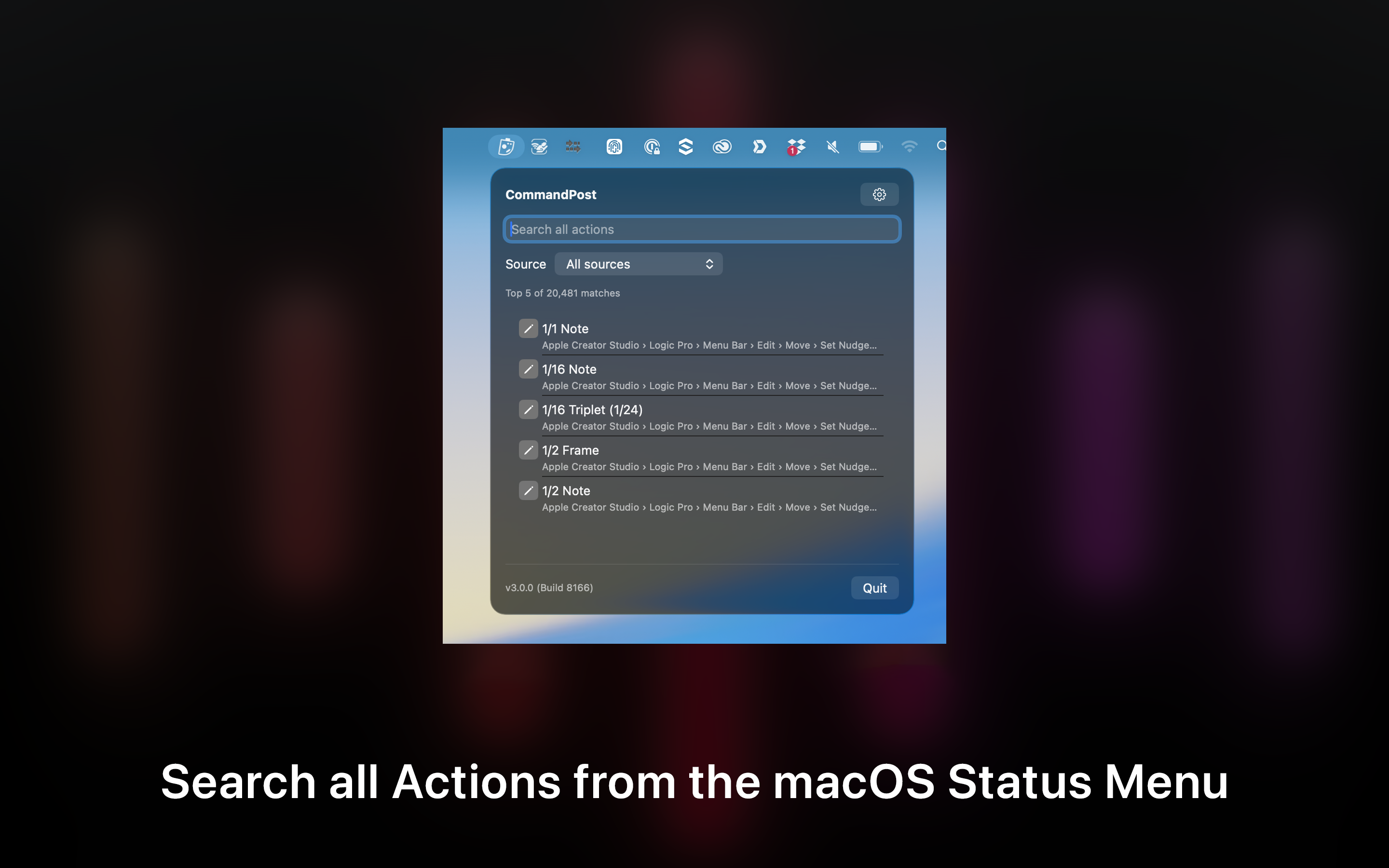
Revolutionise Your Workflow
“ CommandPost is so many things for so many people. For me it is a Final Cut Pro automation system that unlocks hidden features and uniquely supports advanced workflows. CommandPost’s secret weapon? Deep connections with the postproduction community which mean that it constantly improves as the needs of editors and post professionals evolve. ”
Alex ‘4D’ Gollner - Motion Template Creator
CommandPost allows you to do things in Final Cut Pro that are otherwise not possible.
There's literally hundreds of actions in CommandPost for controlling Final Cut Pro in almost unlimited ways.
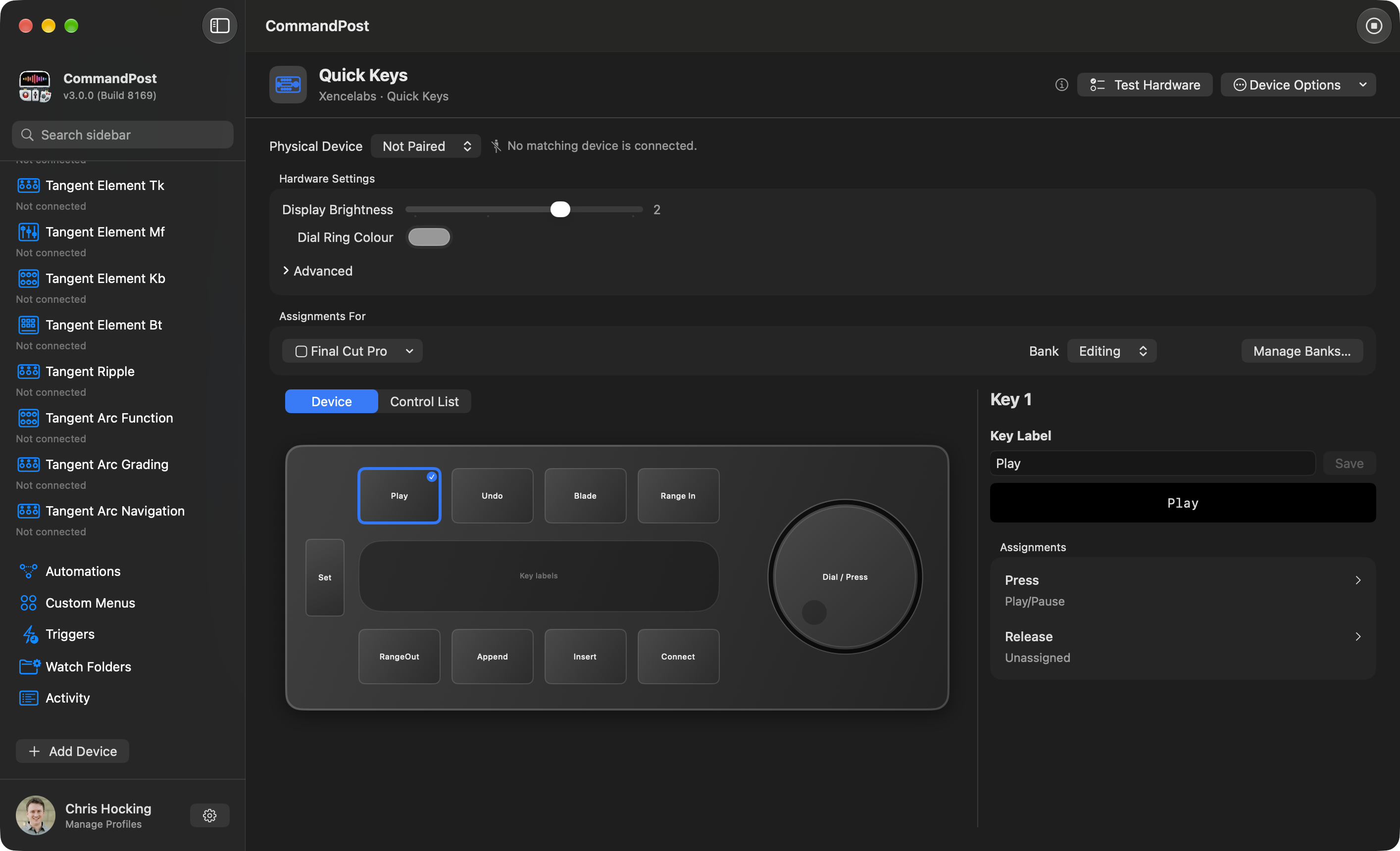
Say Goodbye to Complexity
“ Chris, you have no idea how helpful your Titles to Keywords toolbox has been on our latest production. Without the toolbox these 2-3 hour long timelines (around 900 keywords) would have been nearly impossible to tag with the FCP built in way. It's very long scenes with around 50 lines of text for all characters. ”
Sam Pluemacher - Assistant Editor on Netflix's Blood Red Sky
CommandPost can do complex things with a single keystroke or button press.
It has some INSANELY powerful actions.
Diversify Your Creativity
“ As someone who doesn’t like clicking to do things, CommandPost makes my work much more likeable! ”
Oli Frost - Editor
Whilst CommandPost was originally designed with Final Cut Pro in mind, it can actually control ANY Mac application.
The Search Console will also list all your Keyboard Maestro macros, macOS Shortcuts and even AppleScript's!